Pocket Closet

Context
Pocket Closet is a concept app that I built in a team of 4. It focuses on streamlining personal fashion, helping users optimize their wardrobe management through clear visualizations and catered recommendations.
The problem
Fashion is a key form of identity, self-expression, and social presentation. Clothes affect confidence, comfort, and overall performance throughout the day.
Despite the huge cultural significance of fashion, many struggle with stressful wardrobe malfunctions, unpredictable weather, managing limited budgets, and self-consciousness from unfavourable outfits.
What if there was an easier way for users to manage their personal wardrobes?

The solution
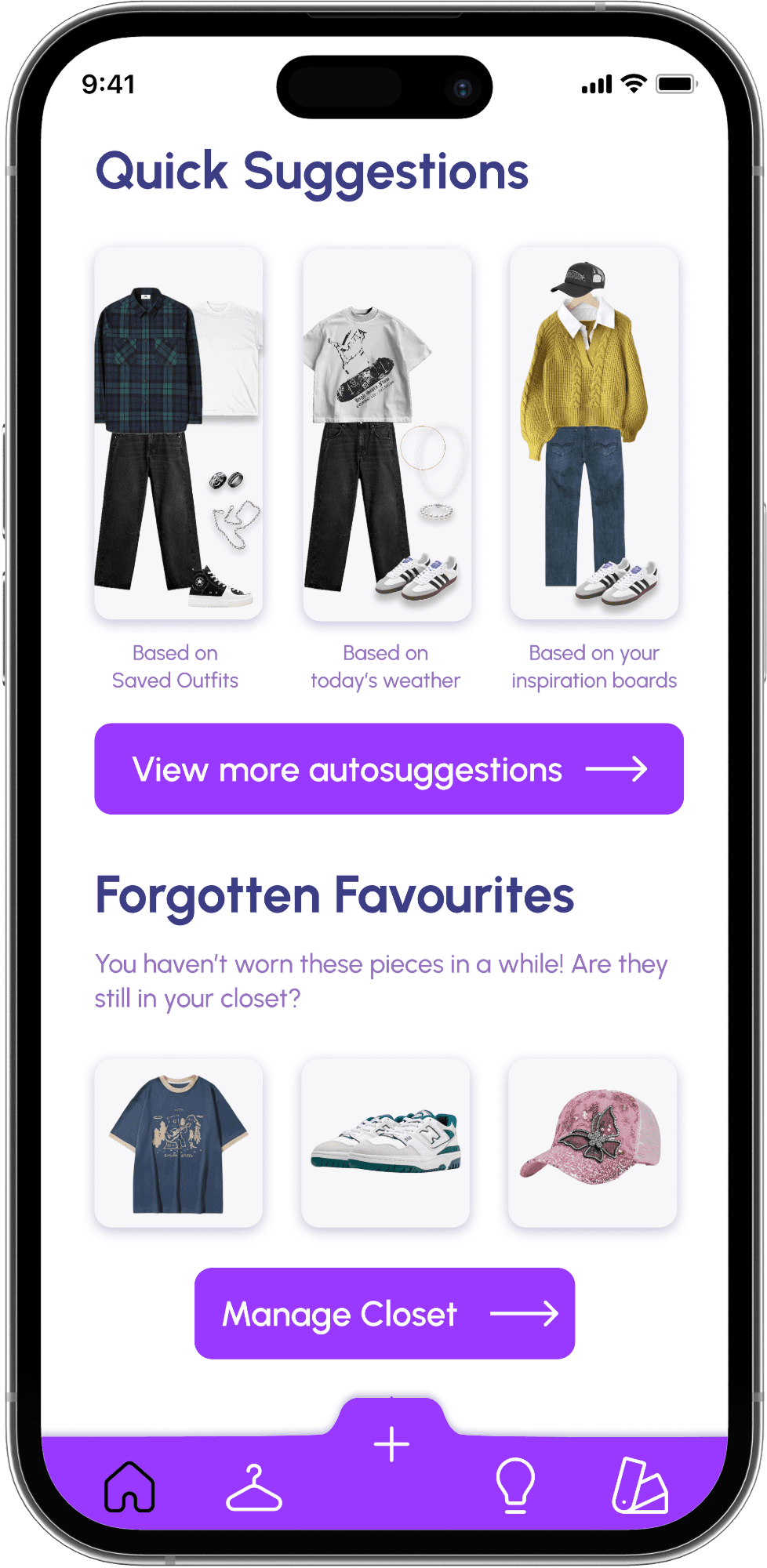
An app that builds fashion confidence by helping users manage their wardrobe and outfit planning. Users can easily build and visualize outfits on the app, while receiving personalized suggestions based on local weather, imported inspiration boards, and customizable presets.

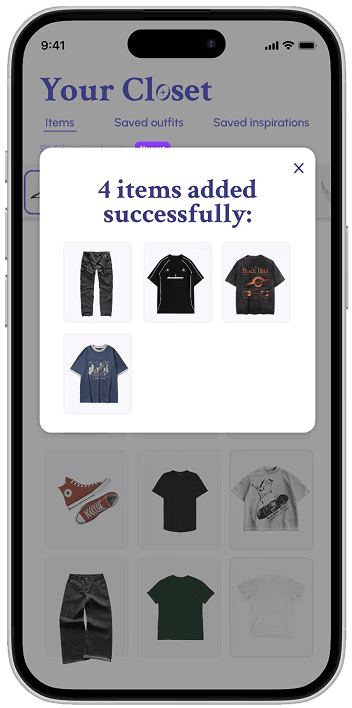
Scanner
Scan your clothes with the camera to add them into your closet.
Digital closet
Compile your garments and outfits for reference.


Outfit visualizer
See it before you wear it. Build your own outfits, or autogenerate them.
Fashion guide
Tailored suggestions to build your unique personal style.

Research
What the students say
Through interviews with 12 students from diverse backgrounds, I explored how clothing choices influence self-perception and the barriers that come with aligning style to identity.
Synthesis
Actionable insights
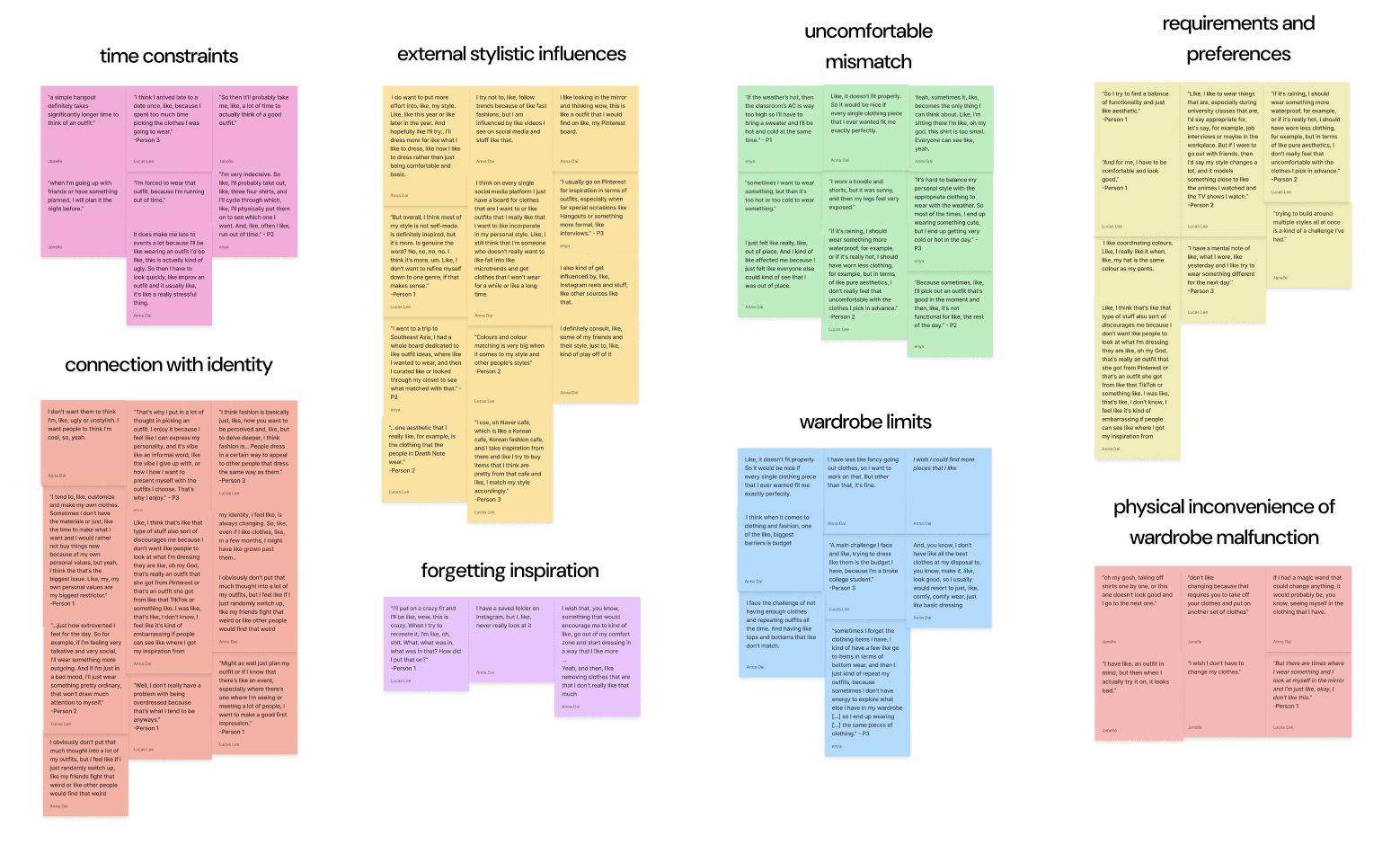
While many participants wanted to put more effort into their appearance, we identified key pain points that hindered them in doing so.
Time constraints
Last-minute wardrobe malfunctions cause stress and tardiness. Students often rely on repetitive and uninspired outfits to save time.
"It does make me late to events a lot […] it's like a really stressful thing."
Cognitive overload
Comparing outfits by memory is unreliable, and trying on multiple outfits in a row sucks up valuable morning time.
“Oh my gosh, taking off shirts one by one, or this one doesn't look good and I go to the next one...”
Practicality
Students often struggle to balance self-expression with the comfort and practicality needed for weather or dress codes.
“Sometimes, I'll pick out an outfit that's good in the moment, and then it's not functional for the rest of the day.”
Forgotten goals
Students mentioned having wardrobe management goals, but forgetting to follow through with them.
"I have a saved folder on Instagram, but I never really look at it."
User persona
The fashion beginner
Goal
To level up their fashion game, leaving the house feeling stylish and confident every morning.
Pain Point
They run into wardrobe malfunctions far too often, causing them to be stressed, late, and wearing repetitive combinations.
Development
Conceptualizing
Based off the pain points drawn from interviews, I drafted 3 potential concepts.


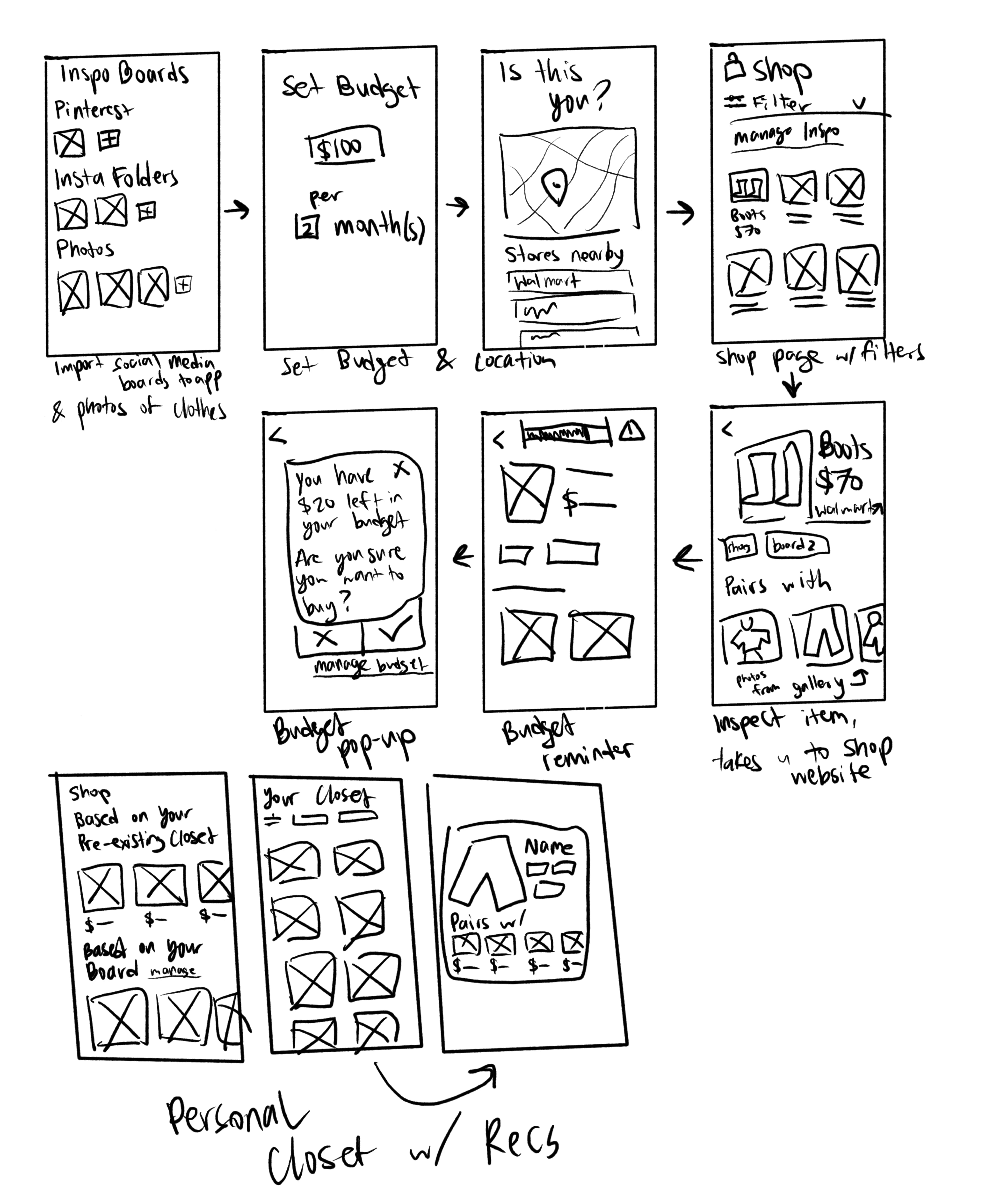

We decided to go with the outfit visualizer and autogenerator to save time and reduce users' cognitive overload when they're trying on and comparing different outfits by memory.
Cognitive Walkthrough
Using this working paper prototype below, I conducted cognitive walkthroughs with testers. The participant pretends to press buttons as they navigate through each screen, listing their initial thoughts and reactions to each feature.
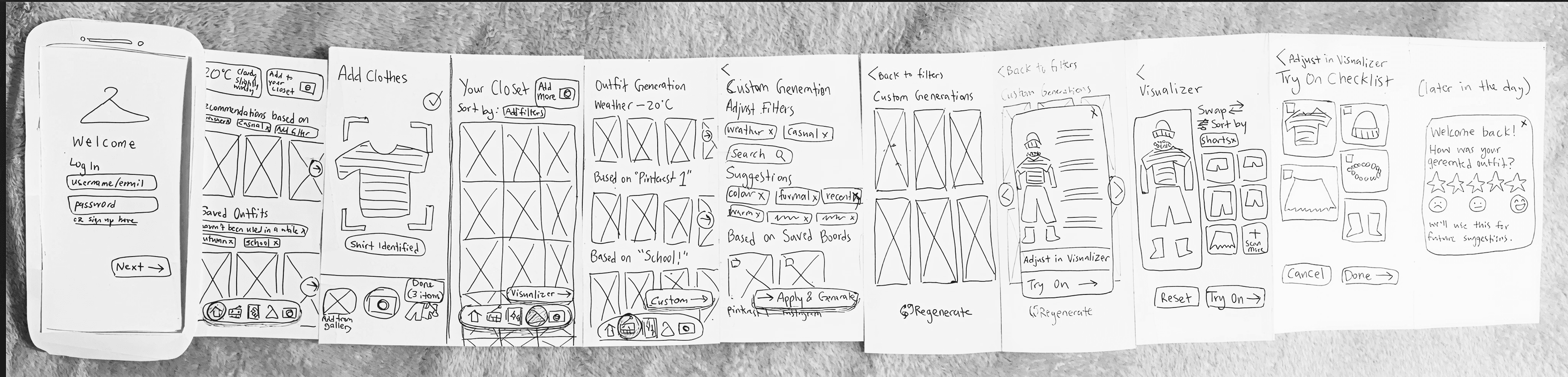
Using the notes taken during the cognitive walkthroughs, we revised our features to streamline discovery and eliminate confusion. The revisions were then implemented in our first Figma prototype.
Design requirements
After considering the most common pain points from our interviews, we focused our project scope with a prioritized list of functional requirements.
Must-haves
Outfit visualization
Outfit generation based on presets
Uploading clothing and outfits to app
Should-haves
Filterable digital closet
Inspiration boards
Notifications about clothes users haven’t worn in a long time
Could-haves
Finding clothes near you to reach long-term stylistic goals
Friend system & posting outfits
Design system
Developing a scalable system

Our screens went through many iterations to achieve a polished, streamlined user flow.
Our palette pairs soft pastels with deep purple and navy, striking a balance between playfulness and sophistication. Lighter tones create consistent contrast against various clothing hues, while darker accents highlight key interactive elements such as buttons and the nav bar.

Usability tests
Tailoring the user experience
After finishing our first high-fidelity prototype, we conducted our second phase of user testing. Participants were asked to do specific, carefully-written tasks to test out certain features.
We also had them fill out a system usability scale at the end.
Through this testing, our users pointed out areas of friction, errors, and suggested small tweaks. We gathered all these insights in a table and revised the prototype accordingly.
Example finding from usability test
Users had difficulty associating the icons on the nav bar with their functions
UI Before

The nav bar included Home, Closet, Scanner, Auto Generation, and Builder.
UI After

The icons were switched to be more recognizable, and the link to the Builder page was moved into the Closet page.
At this final stage, our revisions were often just minor tweaks that made navigation more intuitive.

Takeaways
What I learned
Stay away from UX theatre
This project reinforced the importance of user research to me. I had some initial hypotheses, but interviewing real users provided candid insights that directed me in new directions.
Grounding my solution in actual pain points instead of assumptions validated my design process.
Strong design comes from iteration
Every round of testing revealed unexpected friction points, leading to continuous refinements in the prototype.
Staying adaptable and patient through this back-and-forth process was crucial to building a reliable and intuitive experience.
Next steps
Our time constraints kept the scope focused, but the ideas didn't stop there. Here's what we'd build next if Pocket Closet continued to grow.
Clothes for you
Discover local stores and nearby pieces that pair with your existing clothes.
Outfit sharing
Post your favourite looks and interact with your friends on the app.
Next case study:
Want to see more? Check out my Manic Panic brand redesign!
